AI Agents · Agentic AI · AWS Bedrock · MCP · RAG · Orchestration · Guardrails · Prompt Chaining · Observability · GenAI Architecture
The 12 Building Blocks Behind Every AI Agent We Deploy
By Ramesh Nori · May 5, 2026 · 10 min read
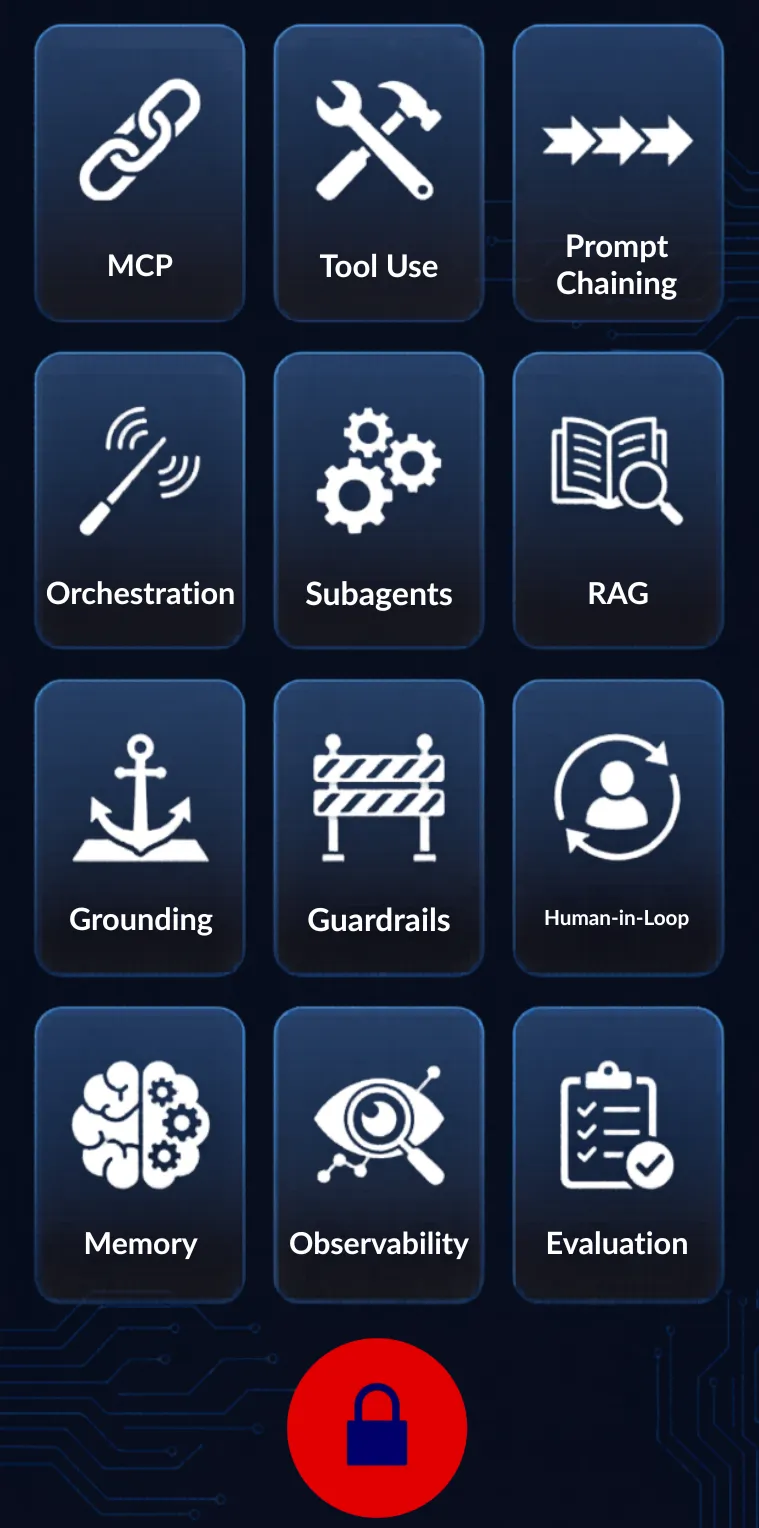
Every few months a client asks us to build an "AI agent." When we dig into what they actually need, we end up having the same conversation about the same 12 concepts.
These aren't textbook definitions. They're the building blocks we use on every agent project. Miss one and you'll hit a wall in production.
Instead of giving you a glossary, we're going to walk through a real workflow. A company needs an AI agent that processes incoming contracts. Extract key terms, flag compliance risks, check them against company policies, route to legal for review, and generate an executive summary.
Every company has documents. Every company has this problem. The industry doesn't matter.
By the end, you'll understand all 12 concepts because you'll have seen each one do actual work.
The examples below are simplified patterns from client engagements. No proprietary code is shared.
1. MCP (Model Context Protocol)
The first problem: the agent needs access to data from multiple systems. Contracts arrive via email. Company policies live in SharePoint. Vendor records sit in the CRM. Previous contract analyses are stored in a document database.
MCP is the open standard that gives AI agents a single, unified way to connect to tools, APIs, and data sources. Instead of writing custom integration code for every system, you define an MCP server and the agent knows how to talk to it.
For our contract agent, we set up MCP servers for the email inbox, the policy repository, the vendor database, and the historical analysis archive. The agent connects to all four the same way.
Think of MCP as USB for AI agents. One standard. Everything plugs in.
2. Tool Use
Having access to data isn't enough. The agent needs to take action. Tool use is the ability of an AI model to call external functions: APIs, parsers, databases, code runners.
Our contract agent has tools for extracting text from PDFs, looking up vendor history, comparing clause language against approved templates, calculating financial exposure, and generating formatted reports.
The model decides which tool to call based on what information it needs. The AI doesn't just generate text. It reasons about which tool to use, calls it, reads the result, and decides what to do next.
3. Prompt Chaining
A single prompt can't handle a complex workflow. Prompt chaining breaks the work into a sequence of focused steps, where the output of one step feeds into the next.
Our contract agent doesn't try to analyze an entire 80-page agreement in one shot. Instead:
Step 1: Extract all clauses and categorize them (payment, liability, termination, IP). Step 2: Take the liability clauses and compare them against company-approved templates. Step 3: Take the mismatches from step 2 and generate a risk assessment with specific recommendations.
Each step has a focused prompt that does one thing well. The chain is what makes the overall analysis thorough. You can tune, debug, and improve each step independently without touching the others.
4. Orchestration
One agent can't do everything well. Orchestration is how you coordinate multiple agents to work together on a larger goal.
Our contract processing orchestrator receives the document and dispatches work: send the PDF to the extraction agent, send the vendor name to the lookup agent, queue the compliance check. It collects results from all three and decides what happens next.
This is different from a simple pipeline. The orchestrator can adapt. If the extraction agent finds the contract is in a foreign language, the orchestrator routes it to a translation step first. If the vendor lookup reveals prior disputes, the orchestrator tells the compliance agent to apply stricter scrutiny.
5. Subagents
Each specialist the orchestrator calls is a subagent. It's a focused AI agent that does one thing well within a larger system.
Our extraction subagent parses the PDF, identifies clause boundaries, and pulls out key fields: parties, effective date, term length, payment terms, liability caps, termination conditions. That's all it does. It doesn't know about compliance rules or vendor history. It doesn't need to.
Keeping subagents focused makes them faster, cheaper to run (smaller prompts, less reasoning), and easier to test. If the extraction logic needs to change, you update one subagent. Everything else stays the same.
6. RAG (Retrieval Augmented Generation)
The agent needs context beyond what's in the document itself. RAG is how you give an AI model access to relevant information from your own data at query time, without retraining the model.
When our compliance subagent reviews a contract clause, it doesn't rely on what Claude learned during training about your company's policies. It retrieves the actual current policy from your document store, pulls the three most relevant sections, and includes them in the prompt alongside the contract clause.
This is the difference between an AI that gives generic legal advice and one that gives advice specific to your organization's standards. RAG is what makes the agent yours, not just a smart chatbot.
7. Grounding
An AI model can hallucinate. It might quote a clause that doesn't exist in the contract or reference a company policy that was updated last quarter. Grounding connects the model's outputs to verified data sources so it reports facts, not fiction.
Our contract agent is grounded to the actual document text. When it quotes a clause, that quote is extracted directly from the PDF, not generated from the model's training data. When it references a company policy, it pulls the current version from the policy repository via RAG.
In contract review, a hallucinated clause or a made-up policy reference could lead to a bad business decision. Grounding and RAG work together here. RAG retrieves the right information. Grounding makes sure the agent actually uses it instead of making things up.
8. Guardrails
Rules that prevent the agent from doing things it shouldn't. Even with grounding, you need boundaries.
Our contract agent has guardrails: it cannot approve any contract above a certain dollar threshold without human review. It cannot modify the original document. It cannot share contract details across different client analyses. It cannot recommend accepting terms that violate company-mandated minimums for insurance coverage or liability caps.
Guardrails aren't about limiting the AI's intelligence. They're about keeping it within the boundaries your legal and compliance teams have defined. The agent can be as smart as it wants inside those boundaries.
9. Human-in-the-Loop
Some decisions are too important for an AI to make alone. Human-in-the-loop is a design pattern where the agent pauses and waits for a person to review before proceeding.
Our contract agent processes the document through all automated checks, packages the results into a structured review summary, and sends it to the legal team. The agent pauses. No compute charges while it waits. When the attorney approves, rejects, or requests changes, the agent picks up where it left off.
Approvals might take an hour or a week. The system handles both without wasting resources. We covered this pattern in detail in our article on Lambda Durable Functions. The callback pattern was built for exactly this use case.
10. Memory
Agents need to remember things. There are two types: short-term (within a single session) and long-term (across sessions).
Short-term memory is the working context. Our contract agent remembers that it already extracted the payment terms earlier in the workflow, so it doesn't re-parse the document when the compliance check asks for them.
Long-term memory is persistent storage. If this vendor had a contract reviewed three months ago, the agent recalls what was flagged last time. Were there issues with their indemnification language? Did legal push back on their liability cap? That history lives in a vector database and gets retrieved when relevant.
Without memory, every contract review starts from scratch. With it, the agent builds institutional knowledge over time. People leave companies. Memory means the AI doesn't lose what they knew.
11. Observability
Building the agent is half the job. Knowing what it's doing in production is the other half.
Observability means tracking every decision the agent makes: which tools it called, what data it retrieved, how it reasoned through each step, how long each step took, how much it cost, and whether the output was used or overridden by the human reviewer.
We log every agent run with traces that show the full decision chain. When the legal team rejects an analysis and says "the agent missed the non-compete clause," we can trace back to exactly why. Did the extraction subagent miss it? Did the compliance subagent see it but classify it as low risk? Was the document too long and it fell outside the processing window?
Without observability, you're flying blind. You'll know the agent is wrong but you won't know why.
12. Evaluation
How do you know if the agent is actually good at its job? Not vibes. Numbers.
We evaluate our contract agent against a test set of previously reviewed contracts where we know the correct answers. The legal team already reviewed these. We run the agent on the same contracts and compare: did it catch the same risks? Did it miss anything the humans caught? Did it flag things the humans didn't?
We track precision (how often the agent's flags are actually real issues) and recall (how often the agent catches issues that exist). A contract agent with high precision but low recall looks smart but misses things. One with high recall but low precision catches everything but wastes the legal team's time with false alarms.
Evaluation isn't a one-time thing. Every time you update a prompt, change a model, or modify a subagent, you run the evaluation suite again. If the numbers drop, you don't ship it.
How These Concepts Connect
Here's the full contract processing flow with all 12 concepts:
A contract arrives. The orchestrator (4) receives it and dispatches subtasks to subagents (5). Each subagent uses tools (2) connected via MCP (1) to pull data from external systems. Complex analysis is broken into focused steps via prompt chaining (3).
The compliance subagent uses RAG (6) to retrieve relevant company policies. All agents are grounded (7) to actual document text and verified data. Guardrails (8) prevent them from approving contracts that violate company standards.
Results stay in memory (10) so agents don't repeat work and can reference past reviews. When everything is ready, the system pauses for human-in-the-loop (9) approval from the legal team.
Every step is tracked through observability (11) so you can trace any decision. And the whole system is measured against known-good reviews through evaluation (12) so you know it's getting better, not just running.
Twelve building blocks. One workflow. This is what production AI agents actually look like.
Written by Ramesh Nori. If this was useful or you have feedback, reach me at cloudbuckle@gmail.com.